 Naturae
How OfficePro Works
OfficePro 12 is built on three core principles that make it the right choice for integrative and naturopathic practices. Everything shares one patient record — so your team enters data once, and new automation across every module keeps your workflows running themselves.
Three Core Principles
Built differently from the start
OfficePro was built from the ground up by practicing integrative medical professionals — not retrofitted for a market it was never designed to serve.
Integrated
One patient record connects scheduling, charting, billing, dispensary, and the patient portal. Enter data once and it flows everywhere — no double entry, no fragile third-party bridges.
Efficient
Automation of daily tasks, consolidation of workflow, and elimination of redundant processes — OfficePro is designed to save you time and money from day one.
Professional
Easily handle every facet of your daily operations without hesitation. OfficePro gives your team the tools to operate with confidence and impress every patient.
New in OfficePro 12
More of your day, on autopilot
Version 12 is one of the biggest releases in OfficePro history — and we ship improvements every week. Here are the highlights.
An AI assistant that drafts the note
The ChartPro AI Assistant listens to the visit — in the room or on a telehealth call — and drafts the chart note for you to review and sign.
Meet ChartPro AI →Reminders that send themselves
Automatic text reminders, plus email and text confirmations whenever a visit is booked or changed. The recurring visit planner catches holidays, days off, and double-booked rooms before you book.
Claims and ERAs on autopilot
Claims go straight to ClaimMD, and claim status and insurance remittances come back and post automatically — with your own rules for denial codes and an Appeal button on every sent claim.
Auto-refills and smarter ordering
Patient auto-refill orders run on schedule in the cloud, purchase orders arrive with a ready-to-import data file, and the Fullscript catalog imports straight into your inventory.
A new portal and check-in kiosk
Patients sign in with Google, book online, and complete intake before they arrive. At the front desk, the kiosk handles signatures, insurance details, and card payment at check-out.
Two-step login for every user
Protect every staff account with a code from an authenticator app or text message — required practice-wide with one switch — and unlock locked accounts in one click.
Technology & Security
A private, secure cloud built for healthcare
-
256-bit SHA2 EncryptionIndustry-standard encryption protects every record in transit and at rest.
-
Two-Step Login for Every UserStaff confirm each sign-in with a code from an authenticator app or text message. Turn it on per user, or require it for everyone with one switch.
-
Access Controls & IP RestrictionsLimit sign-in to approved IP addresses, see locked accounts at a glance, and unlock them in one click.
-
HIPAA / HITECH / OMNIBUS / PCI CompliantOfficePro meets and exceeds every current healthcare privacy and security standard.
-
99.9% Uptime GuaranteeState-of-the-art private cloud servers with an industry-leading SLA.
-
Redundant BackupsData backed up to two remote locations simultaneously — your records are always safe.
-
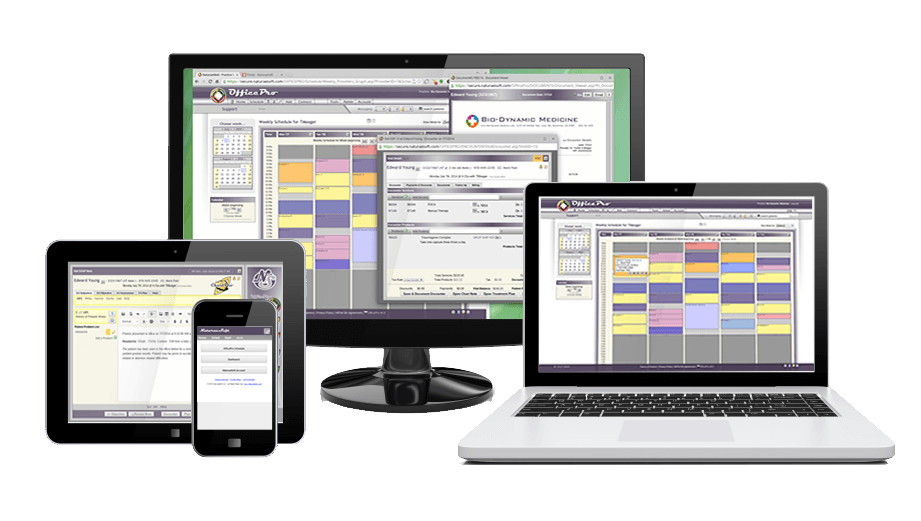
Device IndependentAccess OfficePro from any web-capable device — PC, Mac, iPad, smartphone, or Chromebook — or install it on your desktop or home screen like an app.
-
Cancel AnytimeNo long-term contracts. Yearly plans are available with a discount; monthly plans cancel any time.

Module Walkthrough
A complete tour of the OfficePro suite
Every module shares one patient record. Here is what each one does and how it fits into your daily workflow.
Integrated & Integrative EMR
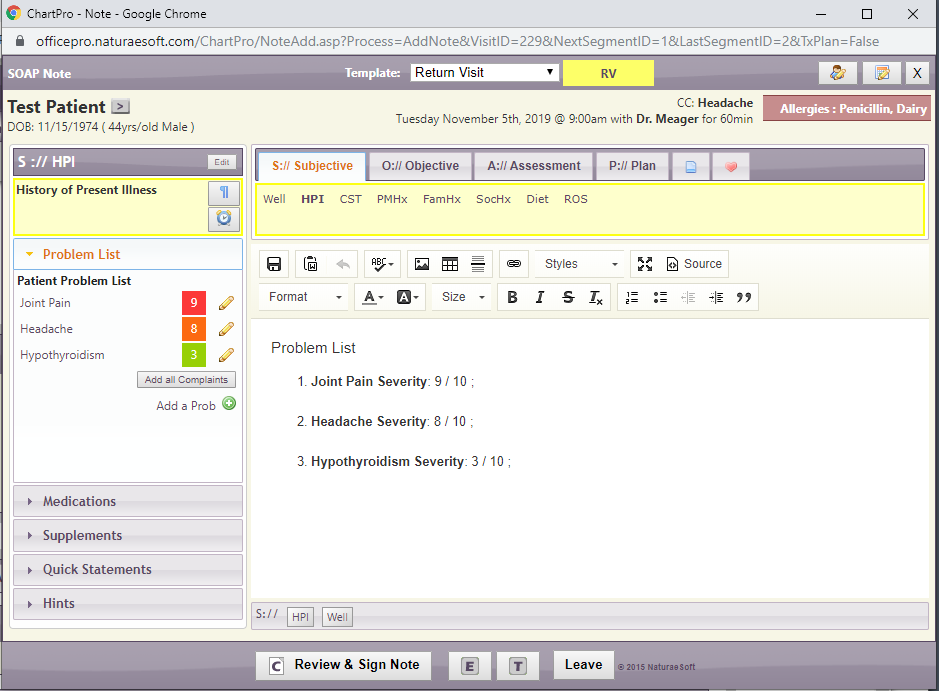
ChartPro is the electronic medical record at the center of OfficePro — built from the ground up for naturopathic and integrative care, not adapted from a primary-care system.
- Templates and prompts designed for whole-person documentation
- What the patient reported on this visit’s intake appears beside the note, ready to insert
- Every visit, invoice, lab, and message lives in the same patient record
- Long chart histories open fast and load more as you scroll
- Secure PDF output for chart notes, superbills, and patient summaries
- Access from any device — at your desk, at home, or on the go
An AI Assistant That Drafts the Note
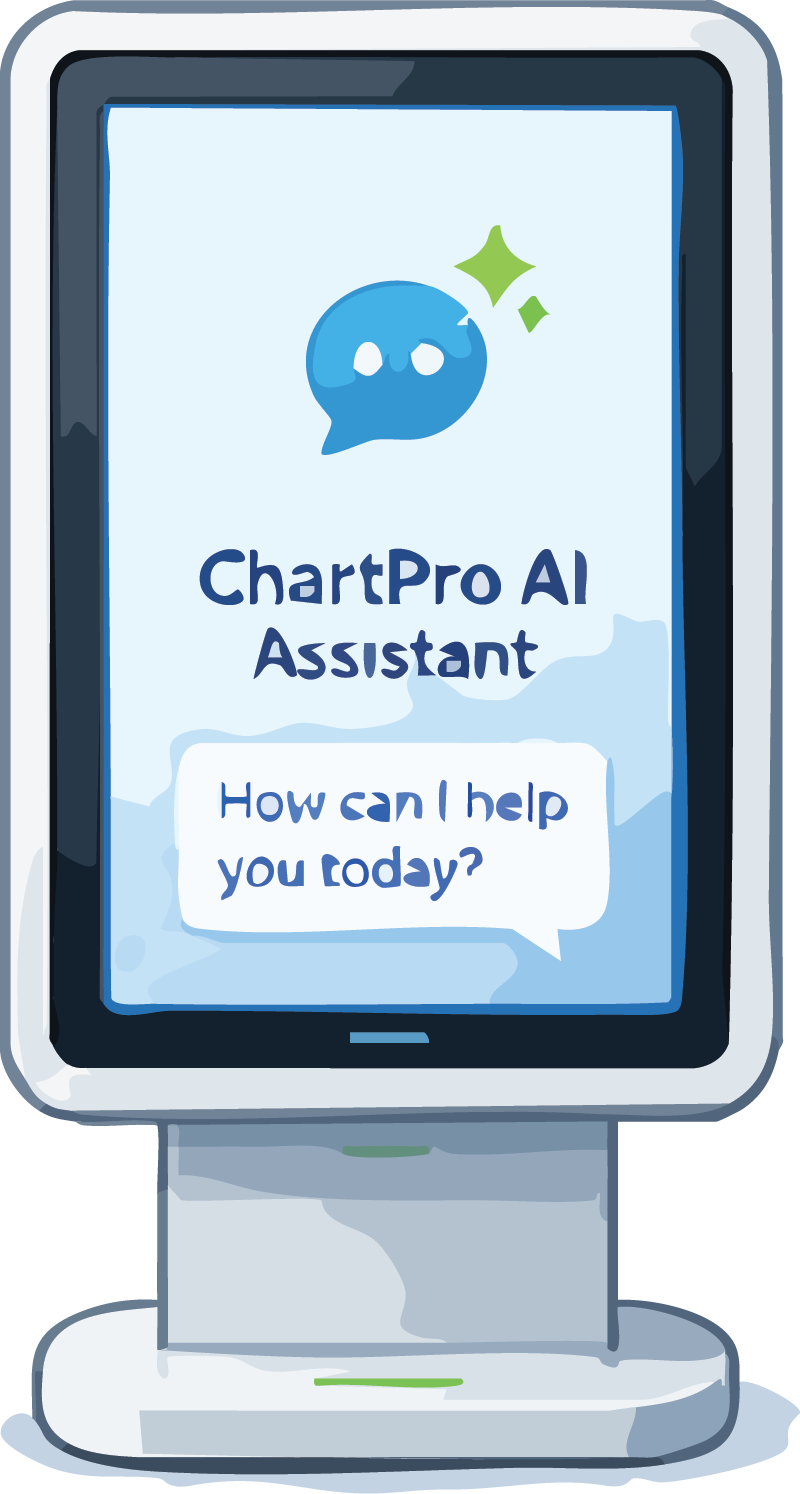
The ChartPro AI Assistant listens to the visit and turns the conversation into a structured chart note — so you can focus on the patient instead of the keyboard.
- Choose the note you need: progress note, exam, review, referral, or transcript only
- Live transcription streams as you talk, and you can review the transcript before the note is written
- Works for in-office visits and telehealth calls alike
- Every AI-drafted note is reviewed by the provider before it can be signed
- A monthly usage counter shows exactly where you stand

Robust & Secure Scheduling + Telehealth
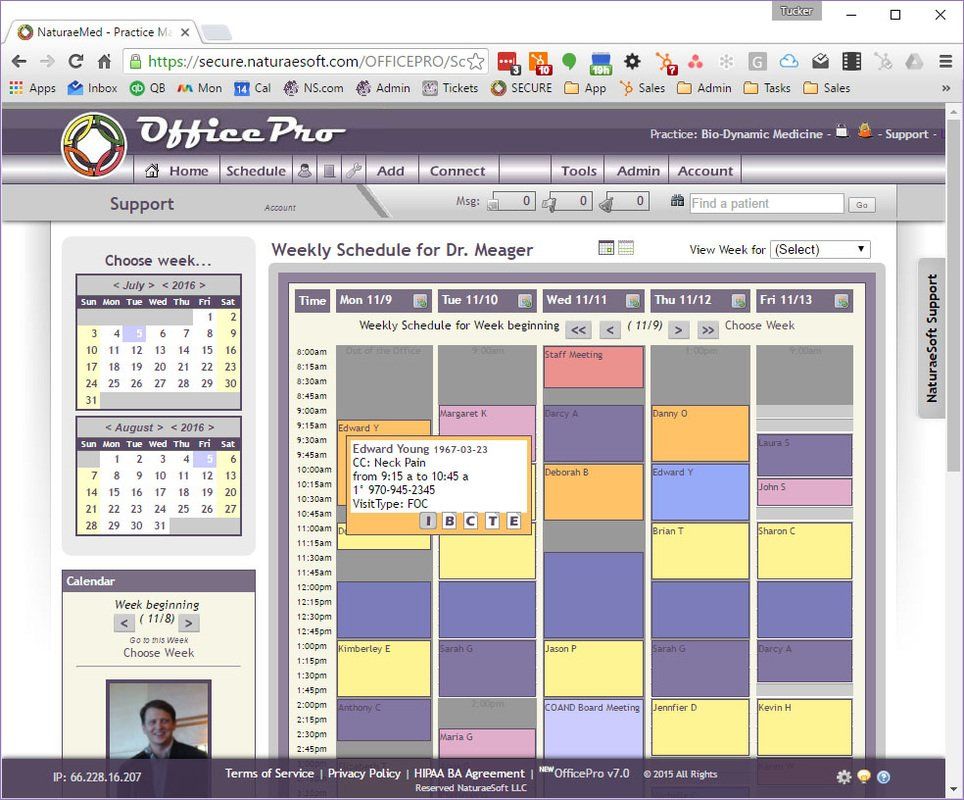
Online scheduling tools from outside healthcare often cannot legally hold patient health information. ApptPro is 100% HIPAA/HITECH compliant — and it includes telehealth built right in.
- Automatic text reminders with your own custom message, to cut no-shows
- Patients get an email and text whenever a visit is booked, changed, or cancelled
- Recurring visit planner flags holidays, days off, busy providers, and taken rooms — and suggests the nearest open time
- Check patients in and out from the schedule, the encounter, or the chart note
- Secure online self-scheduling, with a confirmation email for every booking
- Built-in telehealth — no extra platform or third-party logins

Integrated Clearinghouse & Claims
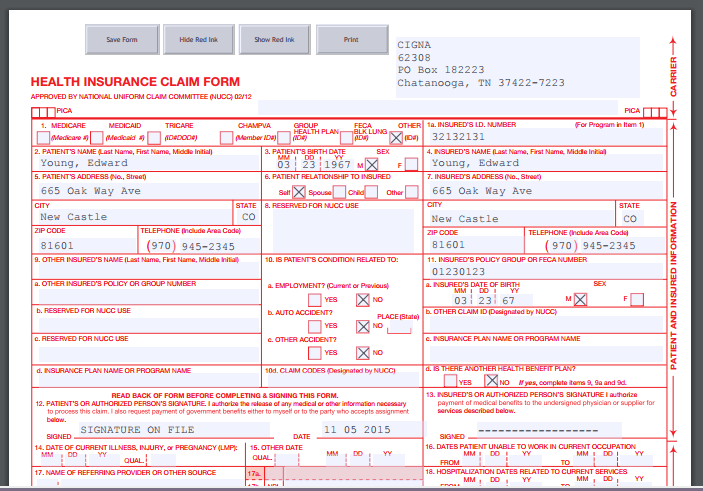
BillPro connects directly to ClaimMD, so electronic claims go out, and insurance payments come back in, without anyone leaving OfficePro.
- Claims submit straight to ClaimMD, and claim status updates arrive on their own
- Insurance remittances (ERAs) are retrieved and posted automatically
- Decide how each denial code posts — adjust, alert a biller, or hold it back
- Appeal any sent claim in one click, and track prior authorizations with warnings before you bill
- Open claims appear right inside Allocate Payment for fast posting
- CMS-1500 forms and secondary claims generated from encounter data

Powerful POS Dispensary
ProductPro gives you inventory management resources designed to optimize your workflow, inventory levels, and management time — from reorder points to drop-ship integration.
- Patient auto-refill orders run automatically on 30, 45, or 60-day schedules
- Import products from the Fullscript catalog — or let Add Product suggest and fill them in for you
- Purchase orders include a data file for your books, and flag drop-ship receipts that don’t match
- Tax classes per product (Standard, Grocery, Exempt) price every line correctly
- A patient order workspace built around Process, Collect, and Deliver — ship or pickup
- Label printing with Dymo LabelWriter 400/450 series
Patient Portal & Check-In Kiosk
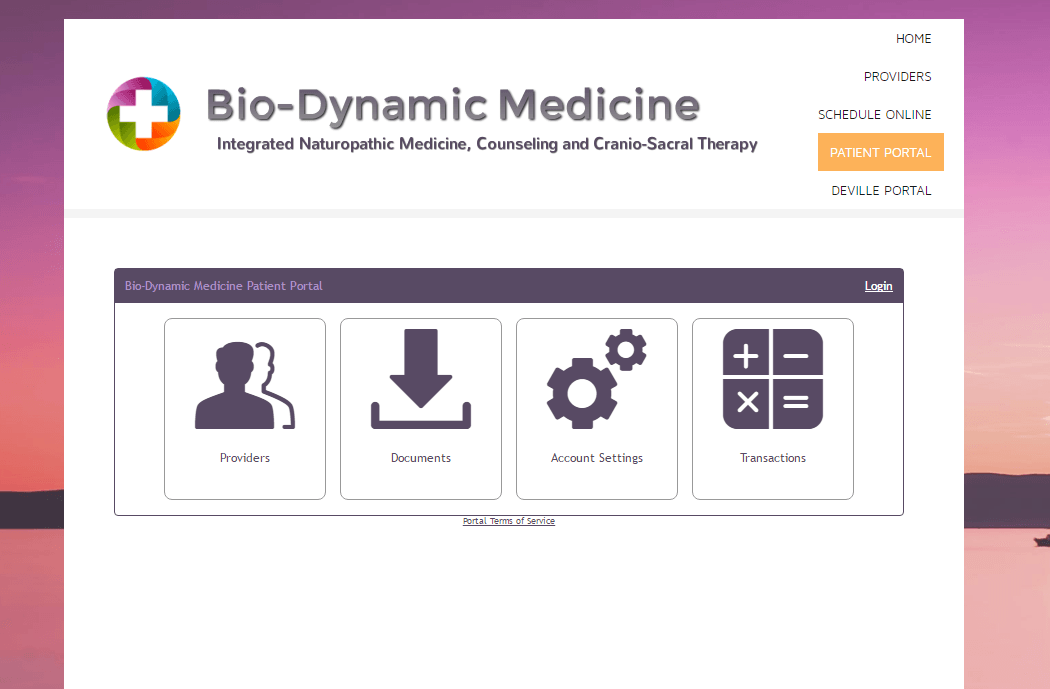
PatientPro is the online extension of your OfficePro service — embedded directly into your existing website and styled to match your brand.
- Patients sign in with Google, book visits online, and shop your product catalog
- Digital intake by email or text link, including a Daily Wellness check-in
- Check-in kiosk for agreements, insurance details, and card payment at check-out
- Embed a contact and question form on your website — enquiries arrive in OfficePro
- Two-way HIPAA-secure messaging between patients and your team
- Portal card payments confirmed with the processor before they post
Beyond the Modules
One platform, every corner of the practice
The same shared record follows you to your phone, your phone system, your marketing, and your records exchange.
OfficePro Mobile
A version of OfficePro optimized for phones at mobile.naturaesoft.com — chart and create AI notes, add and edit visits, take payments, submit claims, and collect signatures on the go.
ConnectPro Phone System
Place calls from OfficePro, run your phone menu, and get voicemail transcripts matched to the caller’s chart. Texting comes with every OfficePro account, and ConnectPro includes the most texts each month.
BackOfficePro Marketing
Tag patients automatically — new, lapsed, upcoming — then message a whole group by email or text, or export them for your mailing tool. Opt-outs are always respected, and BackOfficePro raises your included texts per provider.
FHIR Records Exchange
Import and export patient records with the FHIR R4 standard — including a direct import from Charm — without creating duplicates.
Help Inside OfficePro
Open the NS Support chat from any screen. It answers from the knowledge base, knows your practice, opens tickets, and hands you to a person when needed.
Integrations & Devices
ClaimMD, Fullscript, QuickBooks, Fortis, and purpose-built hardware like the check-in kiosk and ChartPro AI console.
See integrations → See devices →Payment Processing
Seamless integrated payments
OfficePro integrates with Fortis Pay for seamless credit card processing right inside the platform — so you never leave OfficePro to collect a co-pay or balance.

Accept credit and debit cards at the point of care, at the check-in kiosk, or through the patient portal. Payments post directly to the patient account with no manual reconciliation required.
- Refunds in one click — refund a card payment from the payment screen, and the patient balance updates itself
- Gift cards — sell, redeem, cancel, and refund, with sales posted to QuickBooks as deferred revenue
- Tap-to-pay cards — assign an NFC tap-to-pay card to each patient with a quick tap on a connected reader
- Know where every payment came from — PaymentsPro shows portal and kiosk payments by processor
Onboarding & Training
Go live with confidence
Every new OfficePro client goes through a structured 4–6 week onboarding program, with dedicated sessions for every role on your team.
After go-live, you receive 6 weeks of dedicated telephone support access to ensure your team stays confident as you settle into OfficePro.
Ongoing Support
We're here after go-live too
NaturaeSoft provides US-based support that knows OfficePro inside and out.
Knowledge Base
Step-by-step articles and how-to guides covering every feature of OfficePro — searchable and always up to date.
Browse the knowledge base →Support Chat & Tickets
Ask the NS Support chat from any OfficePro screen, or email Support@NaturaeSoft.com — our team responds fast, with real answers, not scripts.
Email support →Training Sessions
Bi-weekly group training sessions keep your team sharp as OfficePro evolves — included in your subscription.
View the Academy →Ready to see OfficePro in your practice?
A 30-minute personalized walkthrough shows you exactly where your practice saves time and what the move looks like from start to go-live.
Book a Demo Sign Up Now